A WiFi router buying checklist helps turn a price search into a decision about the connection and coverage your home or business actually needs. Devices advertised together as WiFi equipment can perform different jobs. A router, access point, range extender and mobile-data device are not automatically interchangeable simply because each can be associated with wireless internet.
Start with your current service and the problem you want to solve. Use JAAT internet and networking listings to compare offers, then confirm the exact model and intended setup with the provider. This guide avoids fixed price claims because stock and quotations change. Call 0725345345 for help locating relevant listings.
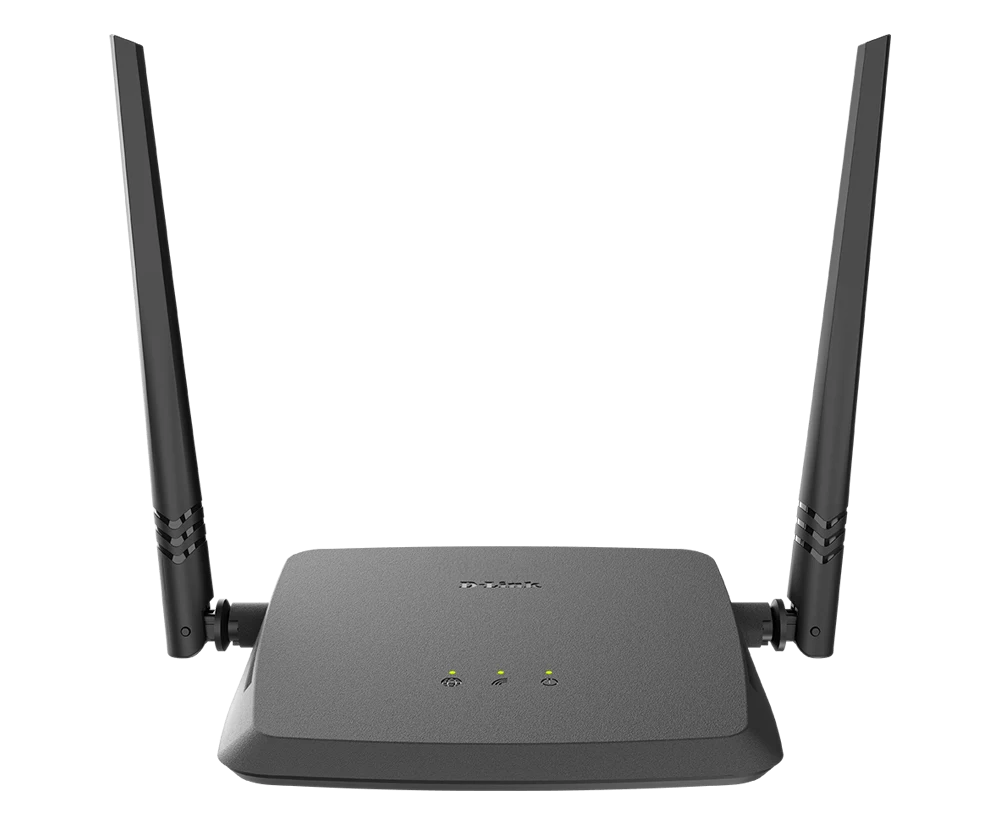
1. Identify the incoming connection
Write down how internet reaches the premises today and which equipment the service provider supplies. Ask whether you are replacing a device, adding wireless coverage or setting up a new connection. Those are different tasks and may require different hardware or provider approval.
Do not buy solely because an advertisement says high speed. Confirm the required connection type, ports and operating mode for the exact model. A device suited to one service may not connect directly to another without additional equipment or a different configuration.
If the premises has no internet service yet, separate the hardware decision from the service decision. A router does not create a paid internet connection by itself. Identify the service availability, recurring charges and installation responsibilities before treating the equipment price as the complete cost.
2. Describe the coverage problem precisely
The WiFi router buying checklist should include the rooms or work areas that need service and the normal location of the equipment. Note walls, floors and the practical route for any cable. A general request for stronger WiFi gives a seller less useful information than a clear description of where the current connection fails.
Distinguish a weak wireless signal from a slow incoming service. Ask a qualified provider to help identify the cause if it is unclear. Replacing a wireless device may not solve a problem caused by the service connection, congestion or an unsuitable installation arrangement.
Prepare a simple sketch of the premises without sharing unnecessary private details. Mark the intended work areas and available connection points. This helps the installer explain a proposal and makes it easier to compare two offers that otherwise use different assumptions.
3. Confirm what type of device is offered
Manufacturers may support several operating modes on some models, but capabilities vary. Read TP-Link’s explanation of router operating modes for general context, then check the exact model’s documentation. Do not assume every product from a brand supports every mode described in a general guide.
Ask the seller to state the intended role of each device in the proposed setup. If the proposal includes a router and another unit, clarify how they connect and which task each performs. A clear diagram or explanation is more useful than a collection of impressive model numbers.
Use the WiFi router buying checklist to record uncertainty. If the seller cannot yet confirm compatibility, mark that question as open rather than treating an optimistic answer as established. Resolve it before ordering equipment that may not serve the intended purpose.
4. Match ports and features to actual tasks
List the devices that need wired connections and those that normally use WiFi. Include ordinary business equipment where relevant, such as a reception computer or network printer. Confirm the available ports and any additional equipment required for the expected number of connections.
Check features against your own requirements rather than buying a long specification list. A small home setup and a multi-room business can have different needs. Ask the provider to demonstrate how the proposed arrangement supports the tasks you have identified.
Keep advertised wireless figures separate from a promise about actual internet performance at your premises. Real results depend on the incoming service, devices, layout and configuration. Ask which result the installer is prepared to test and document after setup.
5. Check the exact model and condition
Record the complete model and hardware version where relevant. Similar-looking devices can have different capabilities or supported software. Ask whether the offer is new, used or otherwise described, and whether the power supply and required accessories are included.
Use current photographs when inspecting a particular unit. Confirm visible condition, packaging and identifying information without dismantling electrical equipment. If the seller proposes a substitute, compare its requirements and features afresh rather than assuming that a similar appearance makes it equivalent.
The JAAT shops directory can help locate the seller profile. Check the current contact and collection arrangements directly. A marketplace listing is a starting point for discussion, not proof that every model is immediately available at every advertised location.
6. Include installation and support in the comparison
A WiFi router buying checklist should distinguish equipment supply from installation, configuration and ongoing support. Ask which activities are included, who performs them and what information the installer needs. Record whether cabling, mounting or additional devices are part of the quote.
Browse JAAT businesses when looking for service providers, and agree the work scope before committing. A proposal should describe the intended result and how it will be checked. Avoid relying on a general promise of perfect coverage without a defined test area.
Ask how account ownership and administrative access will be handed over through the provider’s normal secure process. The person who pays for the installation should understand who maintains the equipment and how support is requested without circulating credentials in ordinary messages.
7. Compare the complete cost
List the device, necessary accessories, installation, travel or delivery, and any recurring service costs separately. Ask whether the quote is current and which assumptions could change the amount. This makes a comparison meaningful even when two sellers package their services differently.
Use JAAT county browsing to identify relevant locations, then confirm coverage for your exact area. A provider appearing in a directory does not automatically establish that every travel or installation charge is included in a headline price.
Keep optional extras separate from requirements. An upgrade may be useful, but ask which problem it solves and whether the simpler proposal meets the tasks you described. A clear explanation helps you decide without assuming the most expensive configuration is always the right one.
8. Agree an acceptance check
Before installation, describe the ordinary tasks to test in the intended locations. That might include a work call from a study, normal browsing at reception or access for a specific approved device. Agree how the result will be observed and what happens if the stated setup cannot be achieved.
A brief test should not be presented as proof of every future condition. Record the date, service arrangement and areas checked. If performance varies, ask the provider which factors were within the installation scope and which require a service-provider review.
Keep the WiFi router buying checklist with the model details and support contact. It becomes a useful reference if a later official, family member or technician needs to understand why the equipment was selected and what the original proposal covered.
9. Confirm payment and seller terms
Review JAAT’s trust information and identify the actual transaction route. Direct seller payment and protected checkout where offered are different arrangements. Confirm which applies to the listing and what documents you will receive.
Ask who handles equipment faults, installation questions and service interruptions. Those responsibilities may belong to different organisations. Record the relevant contact route for each rather than assuming the hardware seller controls the incoming internet service.
Use the WiFi router buying checklist to close open questions before payment. Confirm the model, included work, total quote and handover process. Call 0725345345 for help finding relevant JAAT listings and providers to compare.
WiFi router buying checklist questions
Will more antennas solve weak coverage?
Do not decide from antenna count alone. Describe the premises, connection and devices, then compare the exact model and proposed placement. Ask for a practical explanation and an agreed test of the intended setup.
Can I use an extender instead of a router?
The answer depends on the task and supported operating modes. Confirm whether you need to manage the incoming connection or extend an existing network. The product’s exact documentation and a qualified provider’s assessment should guide the choice.
Is the equipment price the monthly internet price?
Not necessarily. Keep hardware, installation and recurring service charges separate and confirm each directly. A clear quote prevents a low device price from being mistaken for a complete connectivity budget.
Wifi router buying checklist: a premises comparison example
Imagine a small office with a reliable connection near reception but poor service in a rear room. Ask the provider to distinguish the incoming service from the wireless coverage problem. Give each bidder the same room layout and expected tasks. Their proposals should explain placement, connection method and any additional equipment rather than merely recommend a more expensive device.
After installation, test the agreed ordinary task in the intended room and record the arrangement checked. If the result is unsatisfactory, refer to the documented scope and ask which element requires review. This makes the discussion more precise than arguing about an advertised speed that was never tied to the premises or the devices used there.
Related Kenyan websites and separate business tasks
Readers may also use other services for business, professional or personal projects. Keep each service’s purpose distinct from the transaction or recordkeeping task discussed here. A listing, software account or conversation on another website does not by itself establish a completed payment, an approved group decision or a supported connection between systems.
PRIM presents salon and spa management software, while Zama describes web portals and business systems. The Vega website is another business resource to review directly. When comparing tools, describe the task you need completed and ask the provider to demonstrate it using sample information. Confirm the current plan, support arrangement and any required setup before choosing a service.
JAAT provides a place to browse Kenyan shops, businesses, products and services. Dereva presents a driver marketplace. Confirm the current provider, location, scope and transaction terms for an individual listing. A public profile can help begin a discussion, but it does not replace checking what a specific offer includes or who is responsible for delivering it.
TAS focuses on organising chama administration. ZES presents attendance, access-control and security-related solutions. These are different tasks from comparing an ordinary retail listing or maintaining a group’s contribution record. Ask each provider about the exact intended use rather than assuming that a product name establishes compatibility with another service.
Saseni and Awasa are additional websites readers can review independently. Confirm availability and suitability directly before arranging work or sharing information. An external link is not evidence of an integration, endorsement of every listing or permission for another service to access private records.
Keep quotations, approvals and accounts associated with the task they actually support. If you propose connecting two services, obtain a clear explanation of the supported process, responsibilities and information involved. Use fictional examples for an initial demonstration and share only the information required through the appropriate approved channel. This makes it easier to compare providers without confusing separate business activities.
Use the wifi router buying checklist worksheet before deciding
Create a short worksheet with the requirement, the seller’s answer, the evidence you observed and any question still open. Date the offer and identify the particular listing or unit. This keeps a change of model, condition or scope visible instead of allowing several different conversations to blend into one assumed agreement.
Apply the wifi router buying checklist process consistently to each relevant offer. Ask the same essential questions, but allow sellers to explain genuine differences. A complete comparison can show that one offer is more suitable, that another requires clarification or that none currently meets the task. Each is a useful outcome before you commit to a purchase.
Before closing the wifi router buying checklist worksheet, check the final total, included items, recipient, handover arrangement and support route. Keep conditions visible beside the answer they qualify. Do not mark an uncertain field as satisfactory merely because the seller has answered another question clearly or because the advertised price is attractive.
Retain the agreed offer and transaction record in an appropriate private location. If a problem occurs, explain the specific difference between the agreed description and what was received, using the relevant support process. Clear records make that conversation more precise without promising a particular outcome. Call 0725345345 for help finding relevant JAAT profiles and listings to compare.