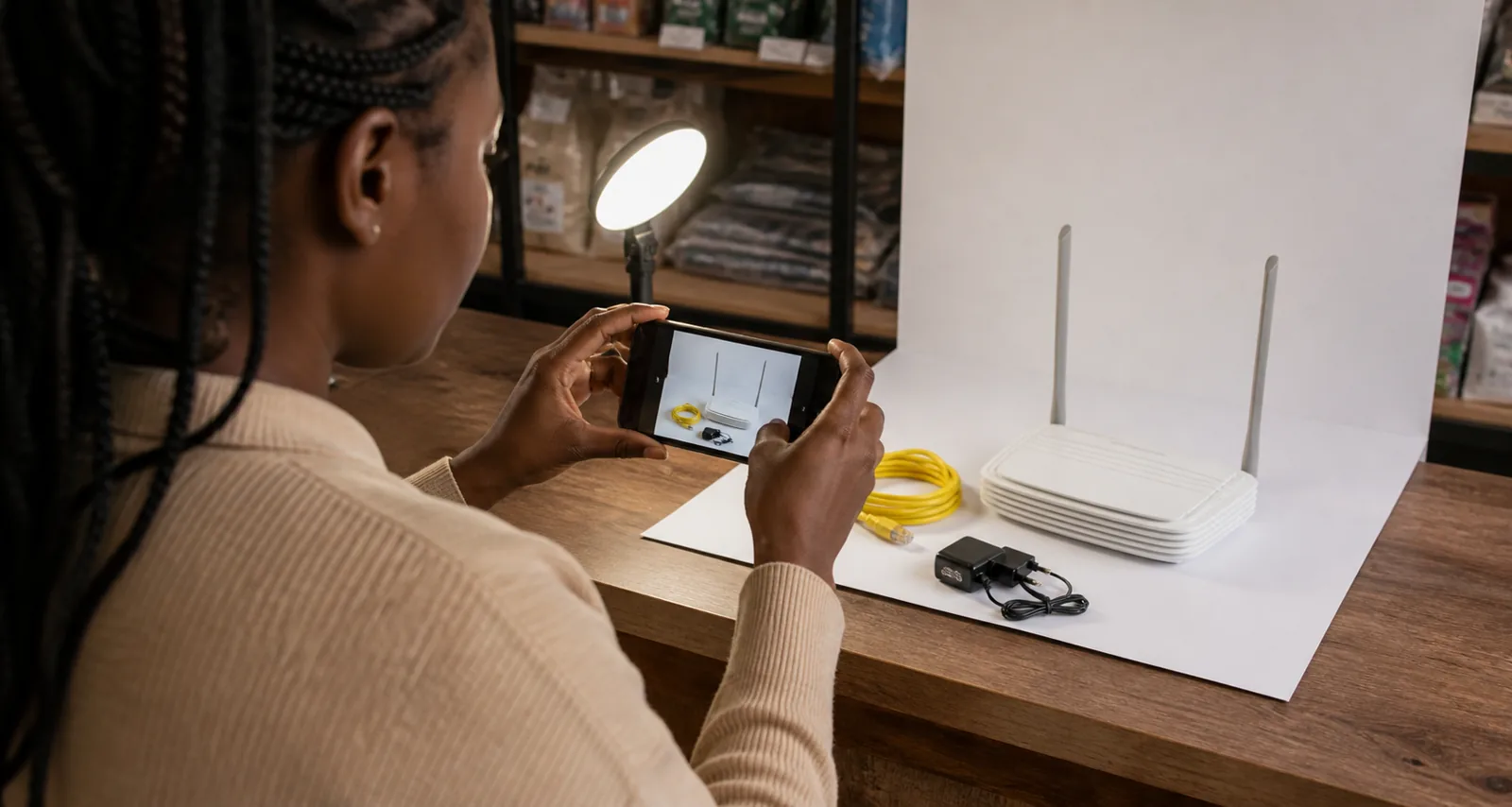
Product photography for online sellers Kenya shoppers can rely on has one main purpose: show the actual offer clearly enough for a buyer to make an informed decision. A polished photograph is useful, but accuracy matters more than decoration. The images should match the title, model, colour, condition, quantity and accessories described in the listing.
You do not need an expensive studio to begin. A modern phone, clean product, steady support, soft daylight and a repeatable shot list can produce useful images. The checklist below prioritises trust, consistency and efficient catalogue work.
Plan the evidence a buyer needs
Before taking a photograph, list the questions a cautious buyer would ask:
- Is this the exact item being sold?
- What colour, size, capacity or model is it?
- What is included in the price?
- Is it new, refurbished, open-box or used?
- Are there scratches, dents, stains or missing parts?
- Which ports, connectors, labels or controls does it have?
- How large is it in real life?
- Does the packaging show useful compatibility or safety information?
Turn those questions into a shot list. This is faster than improvising angles for every product and reduces repeat customer messages.
Use a standard six-view sequence
Adapt the sequence to the product, but a strong general set is:
- Main view: the whole product, centred, sharp and unobstructed.
- Front and back: enough detail to identify the model and layout.
- Side or connector view: depth, ports, controls, fasteners or openings.
- Close detail: texture, label, model number or key feature.
- Included items: product, cable, adapter, manual and other accessories arranged separately.
- Scale or use view: a truthful context image that helps the buyer understand size or purpose.
For a used item, add clear close-ups of every material defect. Do not hide damage through angle, shadow, filters or cropping. A disclosed scratch may reduce the price, but an undisclosed scratch can destroy trust and create a return dispute.
The official Jumia product-image requirements illustrate why consistent views matter. They call for images that accurately represent the product and match the title, and they prohibit confusing extras in the main image. JAAT has its own workflow, so use the Jumia page as a quality reference rather than claiming its exact pixel rules apply everywhere.
Build a simple, repeatable setup
Choose a place near a large window but out of harsh direct sunlight. Turn off mixed-colour room lights if they make the item look yellow or blue. Use white card, plain paper or clean fabric as a background. For reflective electronics, move the light or use a thin white curtain to soften reflections.
Stabilise the phone with a tripod, stack of books or fixed stand. Clean the camera lens. Use the normal camera rather than a digital zoom that reduces detail. Tap the product to set focus, check exposure and take more than one frame before moving the setup.
Mark the product position and phone position when photographing a catalogue. Consistent framing makes a shop easier to scan and speeds up later editing.
Prepare the item before the shoot
Photography cannot rescue poor stock preparation. Before shooting:
- confirm the SKU, model and variant against the purchase record;
- clean dust and fingerprints safely;
- test the item where appropriate;
- collect only the accessories included in the sale;
- remove unrelated price tags and personal information;
- check the packaging for damaged or sensitive labels;
- record the condition separately.
If a product is sealed and opening it would change its sale condition, photograph the packaging from useful angles instead. Do not open it merely to imitate a manufacturer's photograph. If stock units differ in condition, photograph and list them separately.
Make variants impossible to confuse
Colour, size, memory, plug type and generation are common sources of wrong orders. Photograph the exact variant selected in the listing. If one page offers multiple variants, label them in the listing interface and ensure each option points to the correct image.
Avoid a group image that suggests the price includes several colours when only one unit is supplied. If you use a group photograph to show choices, state clearly that the buyer selects one variant and show individual images as well.
For electronics, capture the model label and relevant ports without exposing a full serial number publicly. Verify that the charger, voltage, plug and cable shown are the ones included. Never add a premium accessory to the photograph merely to make the offer look more valuable.
Edit for clarity, not transformation
Reasonable editing includes cropping, straightening and correcting exposure so the photograph resembles the item under neutral light. Keep colour accurate. Excessive saturation, artificial texture, aggressive sharpening or AI-generated details can misrepresent the product.
Do not paste badges such as “best seller”, fabricated ratings or “free delivery” onto an image unless the statement is current, authorised and supported elsewhere in the listing. Price belongs in the price field, where it can be updated without leaving an old amount inside an image.
Jiji's current posting rules ask for unique images taken by the advertiser and reject contact details or watermarks in the picture. Again, those are Jiji-specific rules, but the underlying practice—real, uncluttered images—helps sellers on any channel.
Use only images you have the right to publish
An image found on Google, a competitor's site or a supplier's social account is not automatically free to use. Take original photographs or obtain clear permission or a suitable licence. Keep the permission record with the SKU.
Manufacturer media may be useful for a genuinely authorised reseller, but confirm the terms and do not use it to imply stock, certification or a bundle that you do not have. JAAT's Terms require sellers to own or have permission to use listing media and to provide accurate product information.
Do not include a person's face, home address, vehicle plate, payment message or customer paperwork by accident. Check backgrounds and reflective surfaces before uploading.
Name and store files consistently
A basic file name can contain the SKU, view and version: ROUTER-4G-BLK-front-01.jpg. Avoid a file name made only of camera numbers. Keep the original files, edited exports and listing-ready images in separate folders.
Create a simple photo record with:
- SKU and product title;
- date photographed;
- exact sample or stock batch;
- photographer or source;
- permission record if not original;
- image views completed;
- defects shown;
- listing URL after publication.
Write useful alt text that describes what is visible, such as “black 4G router rear panel with four LAN ports and power socket.” Do not stuff location and price keywords into every alt field.
Run a pre-publication image check
View the images on both a phone and a larger screen. Then confirm:
- the first image shows one clear main offer;
- focus and exposure reveal important detail;
- image and listing title identify the same product;
- colour and variant are accurate;
- all shown accessories are included or clearly labelled otherwise;
- condition and defects are visible;
- no personal data, unauthorised logo or contact overlay appears;
- the seller has retained the original or usage permission;
- the file loads without stretching or severe compression;
- the written description supplies facts an image cannot prove.
Kenya's Consumer Protection Act is available through Kenya Law and addresses consumer agreements and unfair practices. This article is not legal advice, but sellers should review the whole impression created by the title, price, images and description—not each element in isolation.
Let photographs reduce uncertainty
Good photographs do not need to make every product look luxurious. They need to help the right buyer understand the offer and help the wrong buyer recognise that it does not fit. A repeatable “product photography for online sellers Kenya” checklist should therefore reward accurate evidence, not artificial perfection. That reduces repetitive questions and preventable disappointment.
Use JAAT's seller tips to prepare the rest of the listing, including accurate details, availability and response information. When your products, original media and policies are ready, review seller space options and apply for space. Approval follows management review, and sellers should still confirm current stock, final price, warranty, delivery and payment terms with each buyer.