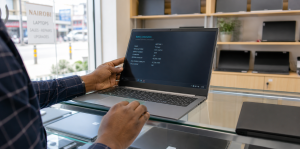
Buying a used laptop can save you a substantial amount of money, but only if you inspect it carefully. A low price is not a bargain when the battery is exhausted, the storage drive is failing or the machine cannot support the software you need.
This practical checklist explains how to check a used laptop before buying in Kenya. Use it when comparing devices online, visiting a Nairobi laptop shop or meeting a seller. You can also compare current laptop listings on JAAT before deciding.
Start with your needs and budget
Decide what the laptop must do before comparing brands. A student handling documents, research and online classes has different needs from a designer, programmer or video editor.
- Basic study and office work: 8GB RAM, a 256GB SSD and a recent Core i5 or Ryzen 5 processor are practical starting points.
- Business and remote work: prioritise a reliable webcam, keyboard, battery and enough ports for your accessories.
- Creative or technical work: check the exact processor generation, graphics capability, RAM upgrade options and screen quality.
Review the JAAT laptop price guide for Kenya to understand the current price range before negotiating.
1. Confirm the exact model and specifications
Do not rely only on a sticker or the seller’s description. Open the system information screen and confirm the model number, processor, installed RAM, storage capacity and operating system. Processor generation matters: two laptops labelled “Core i5” can have very different performance and value.
2. Inspect the body, hinges and screws
Look for cracks, dents, missing screws and gaps between panels. Open and close the screen slowly. Loose or noisy hinges may indicate internal damage or an expensive future repair. Heavy wear is not always a reason to reject a machine, but the condition should match its price and description.
3. Test the screen properly
Display plain white, black, red, green and blue backgrounds if possible. Check for dead pixels, bright spots, colour patches, flickering and pressure marks. Move the lid gently while the laptop is on; flickering during movement can indicate a damaged display cable or hinge area.
4. Check every keyboard key and the touchpad
Open a text editor and type with every letter, number, function key and arrow key. Test the space bar, Enter, Shift and Backspace several times. Confirm that the touchpad tracks smoothly and that its physical or virtual buttons work. Replacing a keyboard may be possible, but it should be included in your total cost.
5. Test the battery and charger
Ask how long the battery lasts during normal use, then disconnect the charger and watch how quickly the percentage falls. Check the operating system’s battery-health information where available. Microsoft explains how to review battery usage in its official Windows battery guidance. Make sure the charger fits firmly, charges consistently and has the correct rating for the laptop.
A used laptop may have reduced battery life, but the seller should state this clearly. If a replacement is needed, check its availability and price before paying.
6. Verify the SSD or hard-drive health
An SSD usually makes a laptop feel much faster than an older mechanical drive. Confirm the advertised capacity and check the drive’s health with a trusted diagnostic tool. Warning signs include very slow startup, repeated freezing, clicking sounds from a hard drive or disk-health alerts.
7. Check Wi-Fi, Bluetooth, webcam and audio
Connect the laptop to Wi-Fi and browse for several minutes. Pair a Bluetooth device if that feature matters to you. Open the camera application, record a short video and test the microphone, speakers and headphone socket. These small components are easy to overlook during a rushed inspection.
8. Test all ports
When checking a used laptop, bring a USB device and, if relevant, an HDMI cable, memory card or USB-C accessory. Test each port individually. Look inside the ports for bent pins, looseness or debris. A laptop can appear perfect while several important ports are damaged.
9. Watch for overheating and unusual noise
Use the laptop for at least 15 to 20 minutes. Open several browser tabs or run an appropriate diagnostic so the machine is not tested only while idle. Excessive heat, sudden shutdowns, grinding fan noise or constant high-speed fan operation may indicate dust buildup, cooling problems or hardware faults.
10. Confirm Windows activation and account status
Check that the operating system is activated and that the seller has removed personal accounts and device locks. For Apple devices, confirm that Activation Lock and Find My are removed before payment. Avoid devices that cannot be reset cleanly or whose ownership is unclear.
11. Ask about condition, warranty and return terms
Before you buy a used laptop, get clear answers in writing:
- Is the laptop used, refurbished or open-box?
- Which parts have been repaired or replaced?
- How long is the warranty, and what does it cover?
- Can you return or exchange the laptop if a hidden fault appears?
- Does the quoted price include the charger and any accessories?
When browsing laptops for sale in Nairobi, compare the stated condition, shop details, warranty information and available contact options—not only the headline price.
12. Verify the seller and payment method
Review the seller’s profile, phone verification, location, recent listings and genuine customer feedback. Confirm the final price, collection or delivery method and warranty before sending money. JAAT displays whether a listing uses direct shop payment or offers protected checkout. Only platform-held protected checkout carries the protection described for eligible orders.
For more safety checks, read JAAT’s buyer safety guidance before contacting a seller.
Quick used laptop inspection checklist
- Model and specifications match the listing
- Body, hinges and screws are intact
- Screen has no serious defects or flicker
- All keyboard keys and the touchpad work
- Battery and charger perform as described
- Storage capacity and drive health are confirmed
- Wi-Fi, Bluetooth, webcam, microphone and speakers work
- Every required port has been tested
- No severe overheating, shutdowns or unusual fan noise
- Operating system is activated and accounts are removed
- Warranty and return terms are written down
- Seller identity, payment mode and delivery details are clear
Used laptop questions buyers often ask
Is 8GB RAM enough for a used laptop?
For browsing, documents, online classes and normal office work, 8GB is usually a sensible minimum. More demanding creative, engineering or development work may benefit from 16GB or more.
Is an SSD important?
Yes. An SSD normally improves startup time, application loading and everyday responsiveness. A healthy 256GB SSD is often more practical for ordinary work than a larger but slow mechanical hard drive.
Should I buy a refurbished laptop?
A professionally refurbished laptop can offer good value when its condition, repairs, battery health, warranty and seller are clearly documented. “Refurbished” should not be used as a vague substitute for disclosing faults.
Where can I compare laptops from Kenyan sellers?
Browse laptops on JAAT to compare available models, specifications, KES prices and seller details. Inventory changes, so confirm availability, condition, delivery and warranty directly on the listing before paying.
Final advice
Do not let urgency or a discount stop you from inspecting a used laptop. Compare several devices, test the exact unit you will receive and keep a written record of the agreed condition and warranty. The best used laptop purchase is not simply the cheapest one—it is the machine that meets your needs with a clear history, fair price and trustworthy seller.