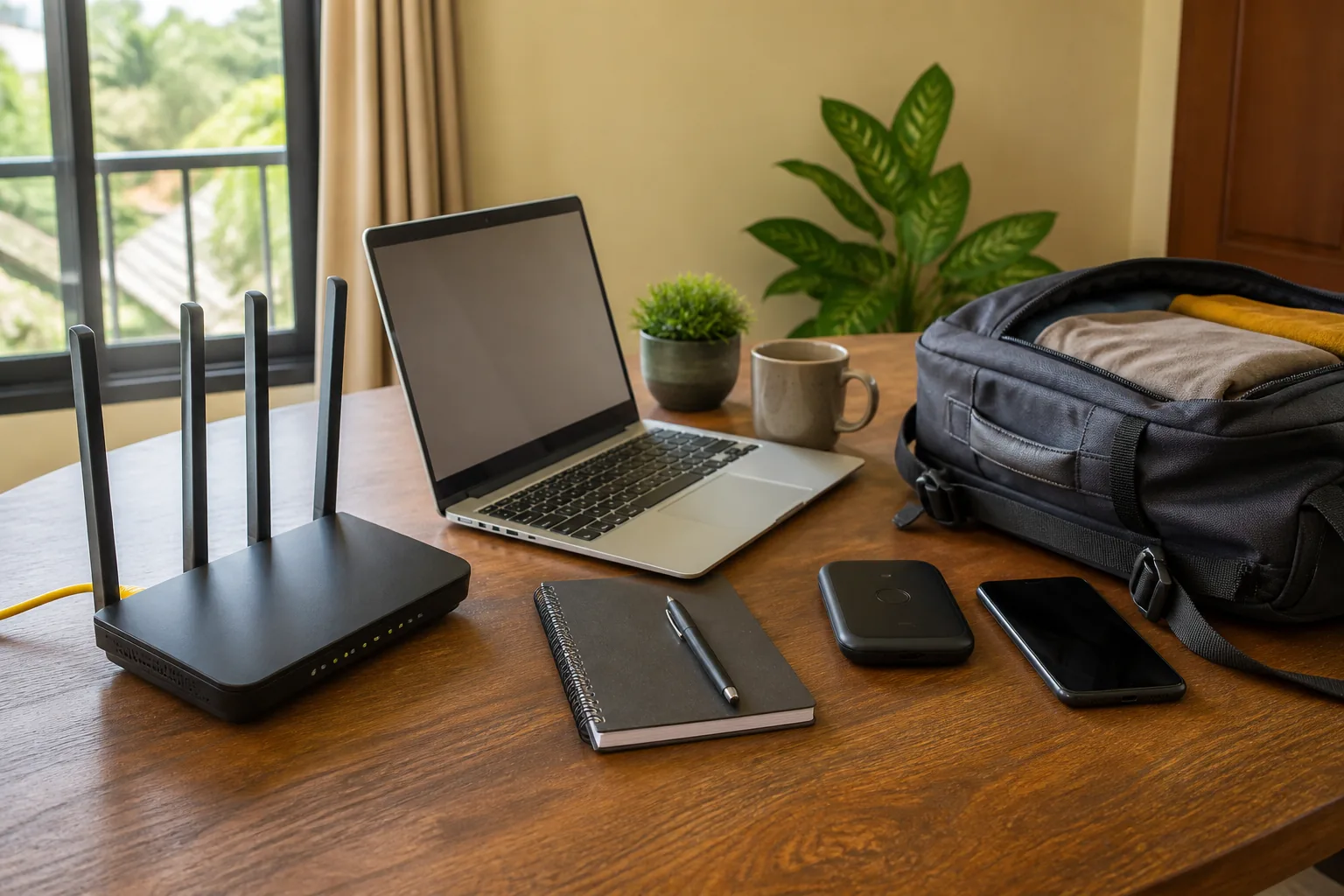
A 4G router vs MiFi Kenya decision is mainly a choice between a fixed-site network and portable connectivity. A typical 4G router uses mains power, offers stronger home-network features and may include Ethernet ports. A MiFi is a compact, battery-powered mobile hotspot designed to share a SIM connection while travelling or working away from a socket.
The right device still depends on its exact mobile bands, Wi-Fi capability, device limit and network-operator support. “4G” on a box does not guarantee the same coverage or speed everywhere. Compare the model manual with the SIM network and the locations where you will actually use it.
What a 4G router does
A 4G or LTE router takes mobile data from a SIM and distributes it over Wi-Fi, Ethernet or both. Fixed-site models are usually powered from a wall adapter and designed to stay on for long sessions. Depending on model, they may provide:
- dual-band 2.4GHz and 5GHz Wi-Fi;
- several Gigabit Ethernet ports;
- detachable or external LTE antenna connections;
- a WAN port for fibre or another fixed connection;
- guest networks, parental controls or access controls; and
- failover between a fixed WAN and mobile data.
These are model-specific features, not a definition of every 4G router. For illustration, TP-Link's official Archer MR600 datasheet describes a Cat 6 LTE router with a stated mobile-link maximum of 300Mbps, dual-band Wi-Fi, Gigabit ports and support for multiple devices. The same datasheet warns that actual throughput and coverage vary with network, environment and client limitations.
Choose this class when several people or wired devices need a stable connection at one location. The Ethernet ports can serve a desktop, smart television, network switch or access point without making every connection wireless.
What a MiFi does
“MiFi” is commonly used for a portable mobile Wi-Fi hotspot. It contains a SIM slot, cellular modem, small Wi-Fi access point and rechargeable battery. Its strengths are size and independence from mains power for a limited period.
A MiFi may be useful for:
- travel between towns or counties;
- field teams and temporary work sites;
- internet backup during a power interruption;
- a laptop and phone in a vehicle or meeting location; or
- a small group that does not need Ethernet.
The TP-Link M7000 official datasheet is one model example. It states a 2,000mAh battery, up to eight hours under laboratory assumptions, support for up to ten connected devices and LTE download rates up to 150Mbps. Those numbers should not be applied to another MiFi, and real battery life and mobile speed will vary.
Portable does not mean unlimited. A MiFi has to share one cellular connection among its users, and battery runtime falls with signal conditions, activity and battery age. It may also have only 2.4GHz Wi-Fi and no Ethernet, depending on model.
Side-by-side decision table
| Need | 4G router is usually stronger | MiFi is usually stronger |
|---|---|---|
| Permanent home or office use | Yes | Limited by battery and compact hardware |
| Travel and pocket portability | No | Yes |
| Ethernet devices | Common on many models | Uncommon |
| Operation during a power cut | Requires backup power unless model has battery | Built-in battery for its rated period |
| External LTE antennas | Available on selected models | Less common |
| Larger device group | Often | Usually a smaller stated limit |
| Fixed-WAN backup or failover | Available on selected models | Usually not the main purpose |
This table is a shortlist tool. Check every row against the exact product because hybrid devices exist.
Check mobile-network compatibility first
The router or MiFi must support the radio bands and SIM service used by your chosen mobile network. Copy the full model number and regional version, then compare its LTE band list with information from the network operator. Do not rely on the brand alone; one product name may have different regional variants.
Ask these questions:
- Is the unit unlocked or restricted to one operator?
- Which SIM size does it accept?
- Which 4G/LTE bands does this exact version support?
- Does it support the operator's required APN settings?
- Is 3G fallback relevant and supported where it will be used?
- Can an external antenna be connected if indoor signal is weak?
Signal bars are not a complete test. If possible, test the intended SIM at the intended premises and at busy times. Tower load, building materials, hills, distance and radio interference all affect results. A higher theoretical category cannot overcome poor local coverage.
Verify Communications Authority type approval
The Communications Authority of Kenya says on its type-approval information page that communication equipment marketed, sold or used in Kenya is subject to type approval or acceptance. Its current June 2026 type-approved equipment list includes categories for routers, modems and related equipment.
Search using the exact manufacturer and model, not a generic description. CA also notes that its list is not exhaustive and advises confirmation with the Authority where necessary. A sticker, seller statement or similar-looking model is not a substitute for matching the exact identity.
Compare Wi-Fi, Ethernet and device limits
For Wi-Fi, check whether the device supports only 2.4GHz or also 5GHz. The 2.4GHz band often reaches farther through a property but is commonly more congested. The 5GHz band can provide more capacity at shorter range, subject to the device and environment. A dual-band label does not guarantee equal performance in every room.
For a fixed router, count Ethernet ports after reserving any port needed for WAN or an uplink to a switch. Confirm whether they are Fast Ethernet or Gigabit Ethernet; a 100Mbps port can limit a faster local connection.
Treat advertised device counts as upper support figures, not a quality promise. Ten connected phones doing little work are different from ten simultaneous video calls. For a busy household or office, consider traffic management, guest access and whether a managed network design is needed.
Plan for power and backup
A MiFi's battery can keep a small connection alive during an outage, but verify the manufacturer's tested runtime and charging port. Ask whether it can operate safely while charging and use an approved charger. An old or swollen battery should not be used.
A wall-powered 4G router needs a compatible UPS, DC backup or power station if it must survive grid interruptions. Match the router adapter's voltage, polarity and current; do not connect it to an improvised cable because the plug fits. A short internet-backup goal may be better served by a modest, correctly rated DC solution than a large AC inverter.
Secure the device before daily use
After installation:
- change default administrator credentials;
- set a strong, unique Wi-Fi passphrase;
- use the strongest security mode supported by all necessary devices;
- update firmware from the manufacturer's official channel;
- disable remote administration unless it is deliberately required;
- review connected devices and remove unknown users;
- create a guest network where the model supports it; and
- protect the SIM with account controls appropriate to the operator.
For a MiFi used in public, avoid displaying the Wi-Fi password on its screen where strangers can read it. A lost MiFi can expose the SIM and saved configuration, so know how to suspend the service promptly.
Buying checklist
Before choosing either device, confirm:
- exact model and regional version;
- CA type-approval status or confirmation route;
- supported LTE bands and SIM network;
- unlocked or operator-locked status;
- 2.4GHz/5GHz support and Wi-Fi generation;
- Ethernet port count and speed;
- stated maximum client count;
- battery capacity/runtime or power-adapter specification;
- external-antenna and fixed-WAN options;
- included adapter, battery and cables;
- written warranty provider and service location; and
- final price, delivery, payment and return terms.
Review the JAAT buyer tips and shipping and delivery information before agreeing with a seller. If the property needs more than a device purchase, read JAAT's Nairobi internet and Wi-Fi services guide and request a defined scope rather than assuming installation is included.
Compare networking options on JAAT
Browse the JAAT internet and networking category after deciding whether fixed-site features or portability matter more. Ask the relevant seller to confirm current stock, exact model, final price, CA approval evidence, network compatibility, warranty responsibility, delivery and payment terms. That makes the 4G router vs MiFi Kenya choice a technical fit rather than a guess based on size.